


Forums
The great place to discuss topics with other users
Automate Your Amazon Affiliate with PageFeeds Pro
'
Want to spice up your Sngine page with content that updates automatically *and* earns you money? You're in the right place. In this tutorial, I’ll show you how to combine the PageFeeds Pro plugin with a touch of Amazon affiliate magic to auto-post commission-packed content to any page on your site — whether it’s tech gadgets, beauty hacks, home decor, or even best-selling llama calendars 🦙.
PS: This tutorial is valid for Sngine or Wowonder.
If you don't already have Page Feed Pro you can buy it here for Sngine Or here for Wowonder
This tutorial shows you how to:
- 🎯 Pick a niche-specific Sngine page
- 🔍 Find a juicy Amazon topic with high engagement
- 🔗 Generate your own affiliate RSS feed
- ⚙️ Connect the feed to your page using Page Feed Pro
- 💸 Let cron jobs do the rest while you kick back and watch content (and commissions) roll in
Let’s dive in and turn your Sngine page into a self-updating, niche-dominating, money-making beast. 🛠️🔥
🔧 Step 1: Create a Niche Page
Pick a topic you’re passionate about (and that sells 😉). For this tutorial, I’m choosing Book Lovers.
Head over to your Sngine site and create a page like this:
https://mysite.com/pages/bookslover
You can name the page Books Lover, Book Addicts, or whatever you like. This is where your juicy Amazon posts will appear.
🛍️ Step 2: Choose Your Amazon Topic
I choose Amazon’s Best Seller Books for the purpose od thi tutorial — it’s always fresh and always converting.
https://www.amazon.com/Best-Sellers-Books/zgbs/books
📡 Step 3: Generate Your Amazon RSS Feed
Now let’s turn that bestseller list into a RSS feed with your affiliate links.
Go to:
https://www.mysitemapgenerator.com/rss/affiliatefeeds.html
I choose Best Seller Books for the purpose of this tutorial
https://www.amazon.com/Best-Sellers-Books/zgbs/books
Paste your Amazon topic URL there. It’ll ask for your Amazon Associate ID (mine is allshinenj-20), and boom — it generates your affiliate RSS feed for you.
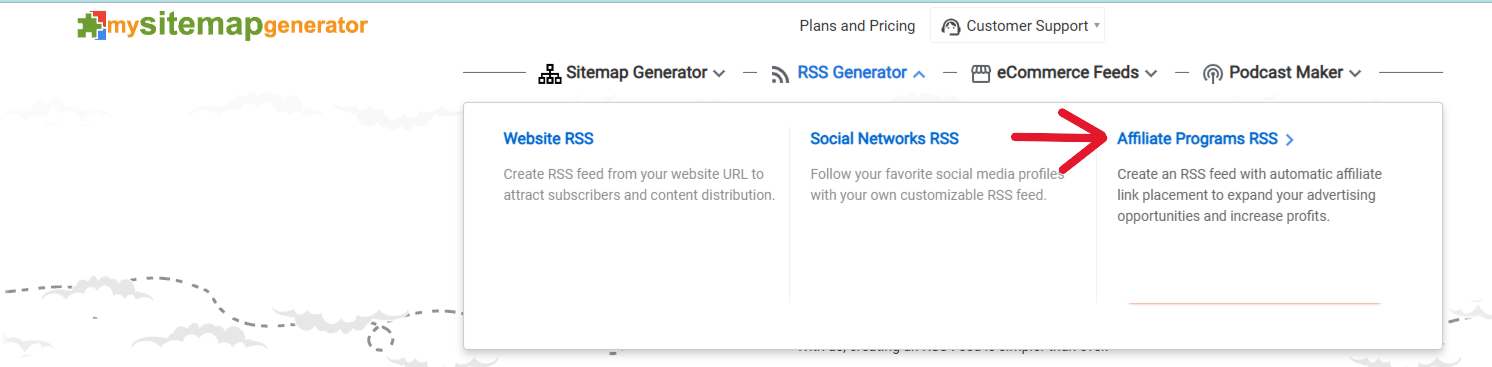
🔗 Step 4: Add the Feed to Your Page
Almost there! Now you need to hook up that feed to your Sngine page.
Head to the feed settings for your page:
https://mysite.com/pages/bookslover/settings/feed
There, you’ll see a form to add a new feed. Fill it out like this:
- Feed Name: Amazon Best Sellers
- Feed Link: (Paste the RSS URL you just got)
Click Save.
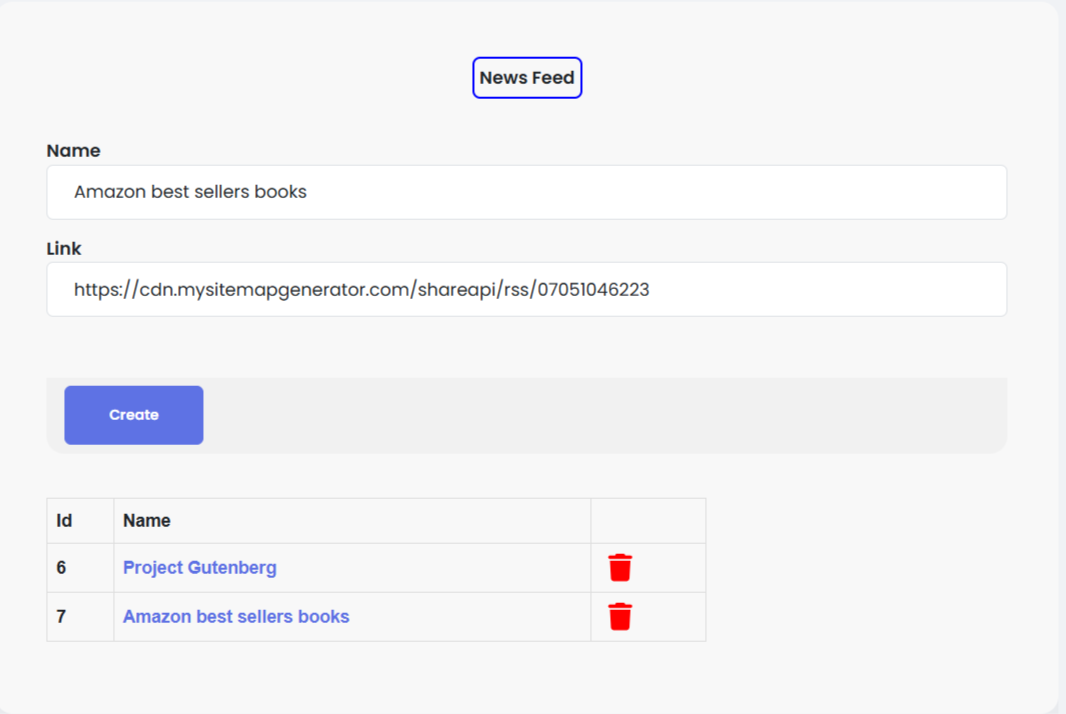
⏱️ Step 5: Let the Cron Work Its Magic
The Page Feed Pro plugin runs every hour (or based on your cron job setting) and will start pulling fresh content from your Amazon feed — complete with your affiliate links.

📈 Watch Your Page Grow (and Hopefully Your Earnings Too)
Each hour, your affliliate links will auto-post new bestsellers from Amazon. All your links will have your associate ID baked in, so you can earn on every click and buy. 😍📚💸
Final Tip: Make sure your cron is set correctly so the feed gets pulled in. If you’re not sure how to set up cron jobs on your hosting, ask your host or check your cPanel’s Cron Jobs section.
Now sit back, sip your coffee, and let Amazon do the work for you, Let's try this together?. ☕📘
Created by ScriptsTribe. Go automate something amazing. ✨




 English
 Arabic
 Czech
Czech
 Spanish
 Portuguese
 Deutsch
 Turkish
 Dutch
Dutch
 Italiano
 Russian
 Romaian
 Portuguese (Brazil)
 Greek
Greek
