


Forums
The great place to discuss topics with other users
Wowonder Tutorial-HTTP Headers Secure Your WoWonder Platform
'
Important: By default, WoWonder does not include these essential security headers, leaving your site vulnerable to potential attacks. Adding these headers manually is a crucial step to ensure the safety of your users and protect your platform against common threats.
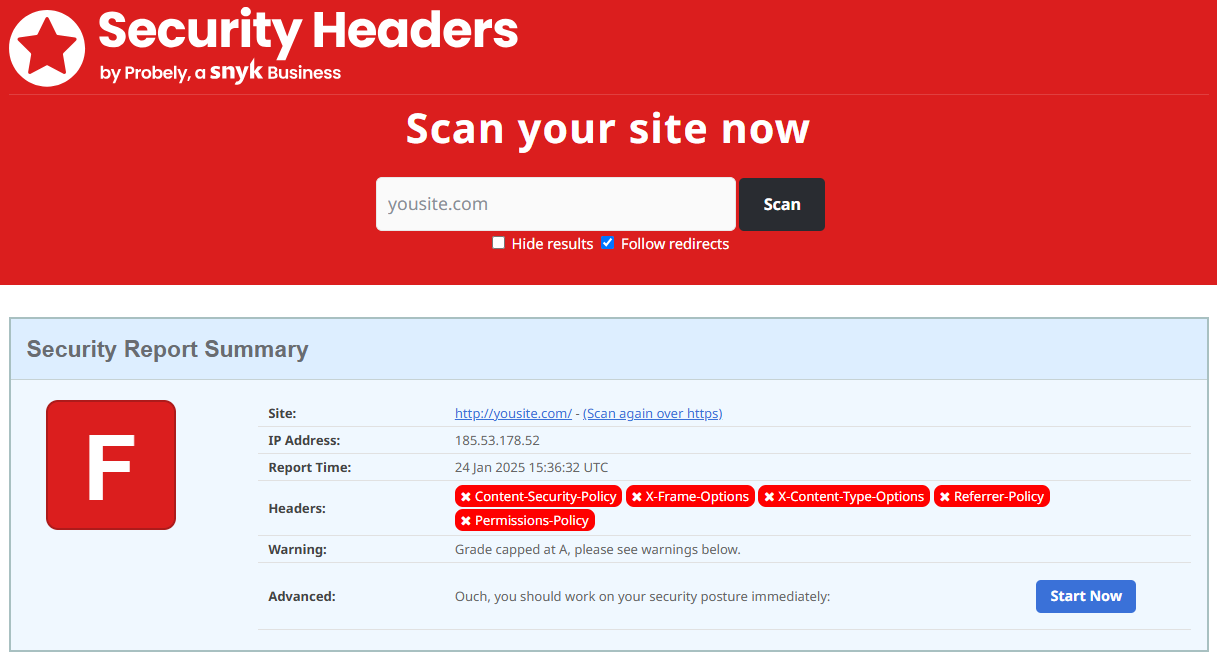
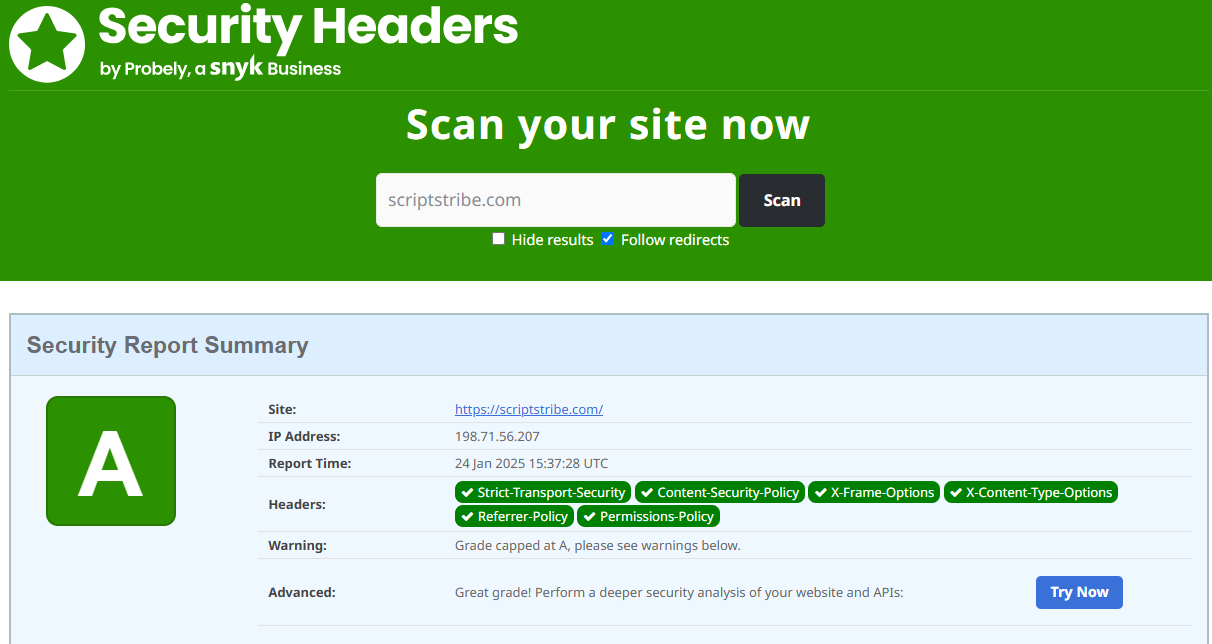
Recommended Security Headers for Apache
If your server uses Apache, add the following configuration to your .htaccess file or server configuration file:
Open your .htaccess file and look for
<ifModule mod_headers.c>
And after that, add:
    # Enforce HTTPS
    Header always set Strict-Transport-Security "max-age=31536000; includeSubDomains; preload"
    # Content Security Policy
    Header always set Content-Security-Policy "connect-src 'self' * data: blob: 'unsafe-inline' 'unsafe-eval';"
    # Prevent Clickjacking
    Header always set X-Frame-Options "SAMEORIGIN"
    # Prevent MIME Sniffing
    Header always set X-Content-Type-Options "nosniff"
    # XSS Protection
    Header always set X-XSS-Protection "1; mode=block"
    # Referrer Policy
    Header always set Referrer-Policy "strict-origin-when-cross-origin"
    # Permissions Policy
    Header always set Permissions-Policy "geolocation=(), microphone=(), camera=()"
    # Cross-Origin Headers
 # Avoid breaking embedded players like YouTube
Header always set Cross-Origin-Embedder-Policy "unsafe-none"
Header always set Cross-Origin-Opener-Policy "same-origin-allow-popups"
Header always set Cross-Origin-Resource-Policy "cross-origin"
Recommended Security Headers for Nginx
If your server uses Nginx, add the following configuration to your server block (usually in /etc/nginx/sites-available/your-site.conf):
 server {
    ...

    # Enforce HTTPS
    add_header Strict-Transport-Security "max-age=31536000; includeSubDomains; preload";

    # Content-Security-Policy (Minimal CSP)
    add_header Content-Security-Policy "default-src * data: blob: 'unsafe-inline' 'unsafe-eval';";

    # Prevent Clickjacking
    add_header X-Frame-Options "SAMEORIGIN";

    # Prevent MIME Sniffing
    add_header X-Content-Type-Options "nosniff";

    # Referrer Policy
    add_header Referrer-Policy "strict-origin-when-cross-origin";

    # Permissions Policy
    add_header Permissions-Policy "geolocation=(), microphone=(), camera=()";

    ...
}
Why These Headers Matter
- Strict-Transport-Security (HSTS): Ensures that your website is only accessed over HTTPS, protecting against man-in-the-middle attacks.
- Content-Security-Policy (CSP): Prevents unauthorized scripts and styles from running on your site, mitigating XSS attacks.
- X-Frame-Options: Prevents your site from being embedded in iframes, protecting against clickjacking.
- X-Content-Type-Options: Stops browsers from MIME-sniffing and interpreting files as a different MIME type.
- Referrer-Policy: Limits how much referrer information is shared with external sites, protecting user privacy.
- Permissions-Policy: Restricts browser features like geolocation, microphone, and camera access, enhancing privacy and security.
How to Add These Headers
- For Apache:
- Open your server's .htaccess file or configuration file.
- Copy and paste the recommended Apache configuration shown above.
- For Nginx:
- Open your Nginx configuration file (usually in /etc/nginx/sites-available/).
- Copy and paste the recommended Nginx configuration shown above.
- Restart Nginx using sudo systemctl restart nginx.
Testing Your Security Headers
After adding the headers, test your site’s security using tools like Visit our Security hearder Checker Tool. Ensure all headers are correctly applied without breaking your site's functionality.
By implementing these security headers, you significantly reduce vulnerabilities and ensure a safer browsing experience for your users. Remember to test thoroughly and adjust the Content-Security-Policy to fit your site's specific needs.




 English
 Arabic
 Czech
Czech
 French
 Spanish
 Portuguese
 Deutsch
 Turkish
 Dutch
Dutch
 Russian
 Romaian
 Portuguese (Brazil)
 Greek
Greek
