

High-Quality Vector Art Conversion for Better Graphics
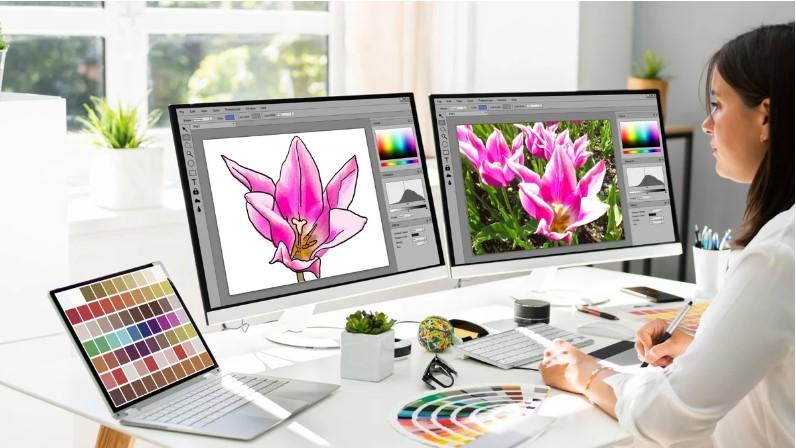
Have you ever enlarged a logo only to see blurry edges, jagged lines, and pixels everywhere? It is a common problem when a graphic was created as a low-resolution image.
High-quality vector art conversion can solve that problem by transforming raster artwork into clean, scalable vector graphics. Instead of being built from fixed pixels, vector artwork uses mathematical paths that can be resized without losing sharpness.
This makes vector conversion useful for logos, product packaging, signs, apparel printing, embroidery, marketing materials, and many other creative projects.
Whether you have a small JPG, PNG, scanned logo, or another raster image, converting it into vector artwork can give you much more flexibility.
What Is Vector Art Conversion?
Vector art conversion is the process of recreating a raster image as a vector graphic.
Raster images are made from individual pixels. When you enlarge them too much, those pixels become visible and the image loses its sharp appearance.
Vector graphics work differently. They use paths, points, curves, and shapes to define the artwork. Because of this structure, the same design can be scaled from a small business card to a large banner without becoming pixelated.
Common vector file formats include:
- AI
- EPS
- SVG
The exact format you need depends on how the artwork will be used.
Why High-Quality Vector Art Conversion Matters
Not every vector conversion produces professional results. Simply placing an image into vector software and tracing it automatically may leave rough curves, unnecessary points, or inaccurate shapes.
A carefully recreated vector file provides much better control.
Sharp and Clean Edges
Professional vector artwork has smooth lines and curves. This is especially important for logos, icons, typography, and detailed illustrations.
Unlimited Scalability
A properly created vector design can be enlarged or reduced while maintaining its quality.
For example, the same logo can be used on a website icon, business card, shirt, vehicle graphic, or large outdoor sign.
Better Printing Results
Printers often need clean artwork for different production methods. Vector files make it easier to produce sharp output at different sizes.
Easier Editing
Vector elements can usually be edited individually. Colors, shapes, outlines, and other components can be adjusted without rebuilding the entire design.
Raster vs. Vector Graphics
Understanding the difference between raster and vector artwork makes the conversion process easier to understand.
| Raster Graphics | Vector Graphics |
|---|---|
| Made from pixels | Made from paths and shapes |
| Can become blurry when enlarged | Can scale without pixelation |
| Common formats include JPG and PNG | Common formats include AI, EPS, and SVG |
| Often harder to edit precisely | Easier to modify individual elements |
| Good for photographs | Excellent for logos and illustrations |
A photograph usually works well as a raster image, while a company logo or simple illustration is often better suited to vector artwork.
How High-Quality Vector Art Conversion Works
A professional conversion usually involves several steps rather than one automatic click.
1. Analyze the Original Artwork
The first step is examining the source image.
The designer looks at:
- Image resolution
- Shapes and curves
- Colors
- Text
- Fine details
- Background elements
- Overall design complexity
This helps determine the best approach for recreating the artwork.
2. Identify Important Design Elements
Not every pixel in the original image needs to be copied.
The goal is to identify the elements that actually define the design, such as outlines, lettering, symbols, color areas, and distinctive shapes.
This is particularly important when working with low-resolution or blurry artwork.
3. Recreate Shapes and Paths
The artwork is then rebuilt using vector paths.
Curves need to be smooth, corners need to be clean, and shapes should connect correctly. Too many unnecessary anchor points can make a file difficult to edit and may create uneven curves.
4. Rebuild Text and Typography
Text deserves special attention.
If the original font is known, it may be recreated using the appropriate typeface. When the exact font is unavailable, the lettering can be carefully reconstructed so the final design maintains a similar appearance.
5. Separate Colors
Each major color area can be organized into editable vector elements.
This makes future color changes much easier and can also help with screen printing, signage, apparel decoration, and other production processes.
6. Clean Up the Artwork
After the main tracing or recreation is complete, the artwork should be refined.
This may include:
- Removing unnecessary points
- Smoothing curves
- Fixing overlapping shapes
- Correcting alignment
- Cleaning edges
- Removing unwanted backgrounds
7. Export the Required File
Finally, the completed artwork is saved in the required vector format.
The file should also be checked to make sure it opens correctly and maintains the intended appearance.
Manual vs. Automatic Vector Conversion
Automatic tracing tools can be convenient, especially for simple artwork. However, they do not always understand what the designer intended.
An automatic conversion may create:
- Too many anchor points
- Rough curves
- Incorrect colors
- Broken shapes
- Unwanted background elements
- Difficult-to-edit paths
Manual vector tracing takes more time, but it allows the artwork to be rebuilt with greater control.
For a simple icon, automatic tracing may be enough. For a detailed logo or artwork intended for professional printing, manual refinement is often worth considering.
Which Images Can Be Converted to Vector?
Almost any raster image can be used as a starting point, but the amount of cleanup required can vary significantly.
Common source files include:
JPG Images
JPG files are widely used but may contain compression artifacts. These can make accurate tracing more difficult.
PNG Images
PNG files can provide cleaner edges, especially when they contain a transparent background.
Scanned Artwork
Hand-drawn logos and illustrations can be converted into vector artwork, although they may require careful cleanup.
Screenshots
A screenshot can be converted, but low resolution may require more reconstruction rather than simple tracing.
Existing Logos
Old or low-resolution logos are common candidates for vector recreation because businesses often need them for new printing and marketing projects.
Best Uses for Vector Artwork
A professionally converted vector file can be used across many applications.
Logo Design
A vector logo can be resized for websites, stationery, packaging, uniforms, and large signs.
Apparel Printing
Clean vector paths help create sharp artwork for shirts, hoodies, uniforms, and other garments.
Signage
Large-format signs require artwork that can remain crisp at substantial sizes.
Embroidery Preparation
Vector artwork can serve as a useful source for embroidery digitizing. However, a vector file is not automatically an embroidery file. It still needs to be converted into stitches using an appropriate digitizing process.
Marketing Materials
Vector artwork is useful for brochures, business cards, posters, promotional products, and advertisements.
Signs You Need Vector Conversion
You may benefit from vectorizing artwork if:
- Your logo becomes blurry when enlarged.
- You only have a small JPG or PNG.
- A printer asks for an EPS, AI, or SVG file.
- You need to change individual colors.
- Your artwork must be printed at different sizes.
- You want a cleaner version of an old logo.
- Your design needs to be used for signage or apparel.
How to Prepare Artwork for Vector Conversion
A little preparation can make the process easier.
Provide the Best Source File
Send the highest-resolution version available. Even if it is not perfect, a larger source image can provide more information for reconstruction.
Explain the Intended Use
Tell the designer whether the artwork is for:
- Printing
- Embroidery
- Signage
- Packaging
- Website graphics
- Apparel
- Promotional products
The final application can influence how the artwork should be prepared.
Provide Color Information
If your logo uses specific colors, provide the color references when available. This can help maintain consistency during conversion.
Mention Required Dimensions
If the artwork needs to fit a specific size, share those requirements before the conversion begins.
How to Choose a Vector Conversion Service
If your artwork is important to your business, choosing the right conversion service matters.
Look for a service that:
- Provides manually refined artwork when needed.
- Delivers editable vector files.
- Supports commonly requested formats.
- Pays attention to typography and small details.
- Can remove or recreate backgrounds.
- Provides revisions when the artwork does not match expectations.
- Understands the intended production method.
Do not judge quality based only on price. A poorly recreated logo can create problems across many future projects.
Common Mistakes to Avoid
Even a simple conversion can go wrong when important details are overlooked.
Using Automatic Tracing Without Cleanup
Auto-tracing may save time, but the resulting paths often need refinement.
Keeping Too Many Anchor Points
Excessive points can make curves uneven and files harder to edit.
Ignoring Small Details
Tiny gaps, curves, and spacing can affect how professional a logo looks.
Using the Wrong Colors
A conversion should preserve the intended color appearance as closely as possible.
Forgetting the Final Application
Artwork created for a website may not be prepared the same way as artwork intended for large-format printing.
What Makes a Vector File High Quality?
A high-quality vector file should be clean, organized, scalable, and practical.
Important characteristics include:
- Smooth curves
- Accurate shapes
- Proper alignment
- Clean paths
- Editable elements
- Correct colors
- Minimal unnecessary points
- Appropriate file format
The goal is not simply to make the image technically vector-based. The goal is to create artwork that is actually useful for future design and production work.
Frequently Asked Questions
What is high-quality vector art conversion?
It is the process of recreating raster artwork as clean, editable vector graphics while preserving important shapes, colors, text, and design details.
Can a blurry JPG be converted into vector art?
Yes. However, a very blurry image may require manual reconstruction rather than simple automatic tracing. The final vector artwork can be cleaner than the original raster image.
What is the best vector file format?
There is no single format that works best for every situation. AI, EPS, SVG, and PDF are commonly used, but the best choice depends on the software and production method.
Can vector artwork be used for embroidery?
Yes, vector artwork can be an excellent starting point for embroidery digitizing. However, it must be converted into an embroidery stitch file before an embroidery machine can use it.
How long does vector conversion take?
Simple artwork can often be recreated relatively quickly, while detailed illustrations, complex logos, and low-quality source images require more time.
Conclusion
High-quality vector art conversion can turn a small, blurry, or difficult-to-edit image into flexible artwork that is ready for professional use.
The biggest advantage is scalability. Instead of worrying about pixels becoming visible when a design gets larger, you can work with clean paths and shapes that maintain their quality.
For the best results, focus on accurate shapes, smooth curves, correct colors, clean typography, and an organized file structure. Most importantly, consider how the artwork will ultimately be used.
Whether you need a logo for printing, artwork for signage, graphics for apparel, or a source file for embroidery digitizing, a properly converted vector file gives you a strong foundation for future projects.

 English
 Czech
Czech
 French
 Spanish
 Portuguese
 Deutsch
 Turkish
 Dutch
Dutch
 Italiano
 Russian
 Romaian
 Portuguese (Brazil)
 Greek
Greek