


Help Center
Find answers or browse our knowledge base.
Latest Questions
How to install and addon
Installing an add-on that uses plugin system is very easy
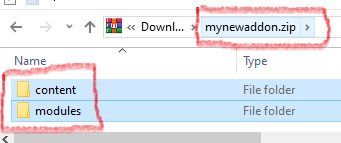
Download you add-on and make sure the content root looks like this 👇
Go tou your site /admincp/plugins and click on Install|Activate tab and you will see this form 👇
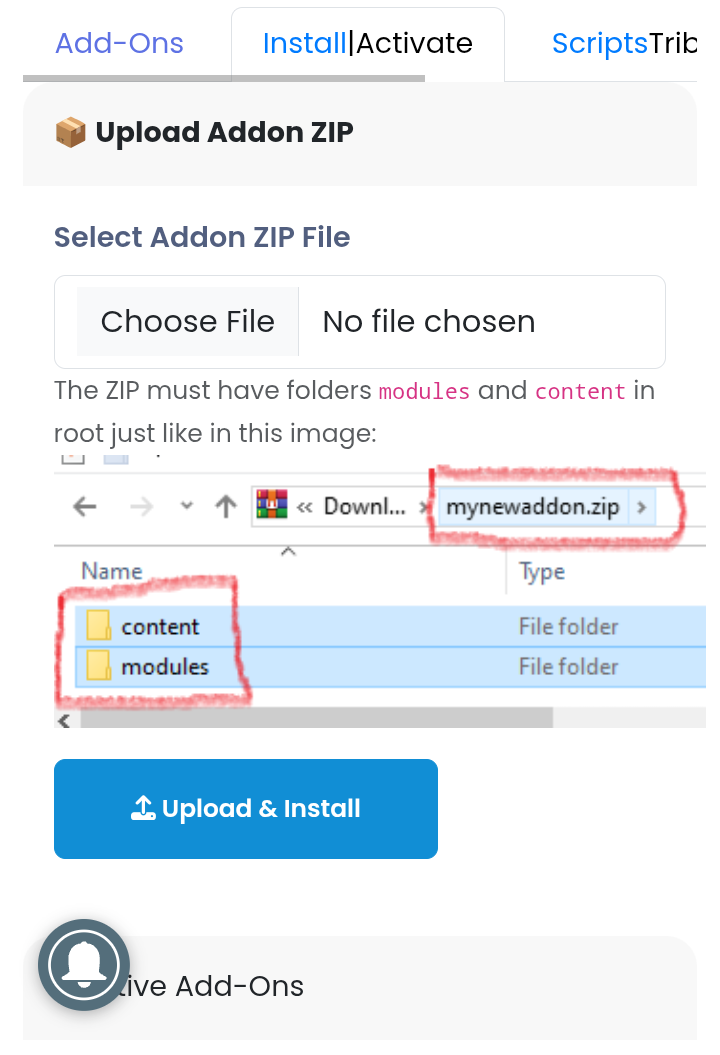
Choose a file and upload.....
Go back to the admincp/plugins and look fo the new addon card, it look like something like this 👇
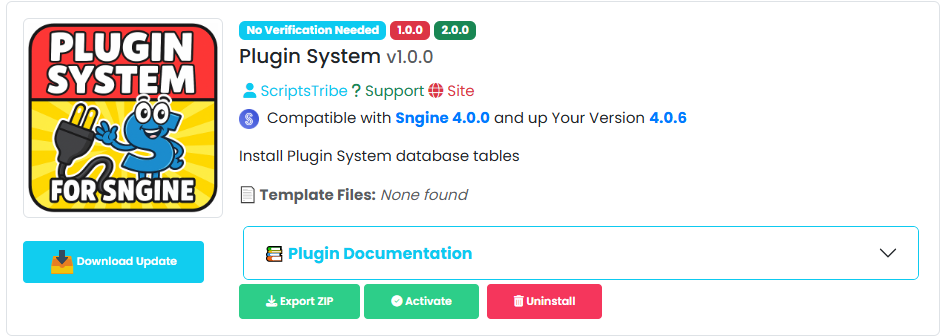
- If it is a plugin that as database, you will see an install button. click install, than click activate....
- If is a plugin that does not require database you should see ann activate or deactivate button....
- If you addon is supposed to have pages, click activate, if it is already active, click deactivate and activate again,
- Clear your browser cache
- clean you compiled template
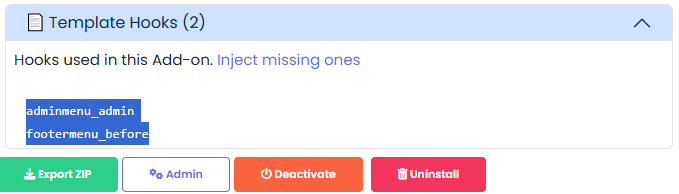
Take a look at the Template Hooks tab (it only shows after activation)👇
Go to
- Manage tpl inserts at /admincp/plugintemplates and make sure that these template hooks are injected in your themes...
After injecting themes hooks always
- Clear your browser cache
- clean you compiled template
Now you can visit your site... if it have page the like takes after the folder name.
e.g if addon is under folder content/themes/default/templates/myaddon so your link will be yoursite.com/myaddon
If the addn has morpae, her ohe adooupod the tutorial or you can look inside your htaccess
Was this answer helpful?
How could it be better?
What went wrong?
Related Articles
 Russian
 English
 Arabic
 Czech
Czech
 French
 Spanish
 Portuguese
 Deutsch
 Turkish
 Dutch
Dutch
 Italiano
 Romaian
 Portuguese (Brazil)
 Greek
Greek
